In the fast-changing world of digital marketing, SMEs look to optimise their email campaigns while keeping budget and time under control. Email marketing and automation solutions are now essential, making it easier to manage contacts, send targeted content and analyse performance. Among the most popular platforms, Mailchimp and ActiveCampaign stand out as major players, each offering solid features designed to meet varied needs. This complete comparison highlights the strengths and limits of the two solutions to guide SME leaders in their strategic choice.
Mailchimp, known for its simplicity and intuitive interface, appeals with its quick onboarding and its range of professional designs. ActiveCampaign, for its part, bets on the power of its built-in CRM and sophisticated automation tools, targeting companies ready to make the most of their marketing data. The challenge is to identify the platform that will not only send effective email campaigns but also build a lasting, personalised customer relationship.
In a context where the return on marketing investment must be tangible, analysing the relevance of the available tools is essential. This dossier digs into every key aspect: from list and contact management to building automated workflows, through advanced segmentation and reporting. Discover a detailed overview that combines strategic thinking and operational advice to succeed in your digital transformation with Mailchimp or ActiveCampaign.
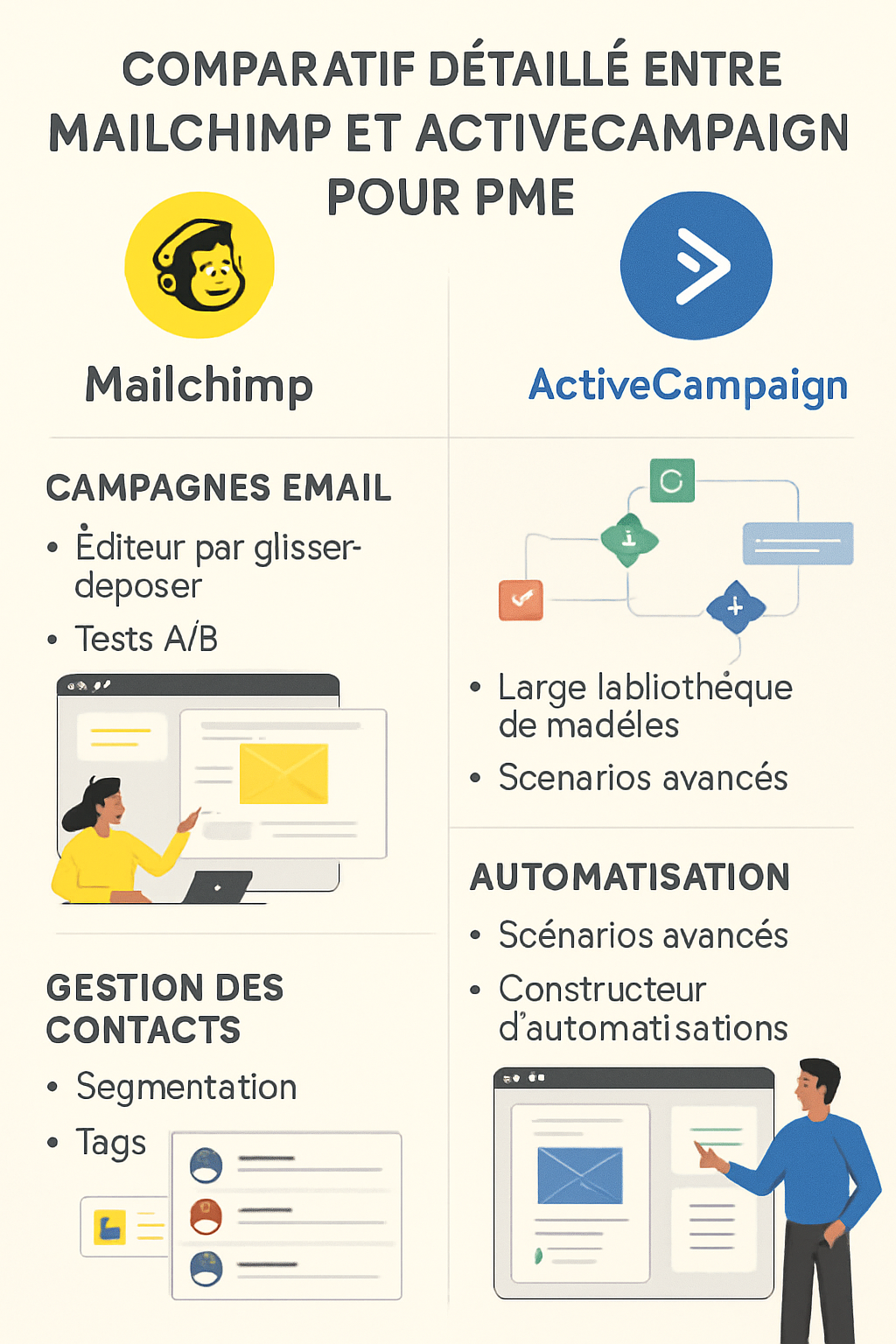
Contact management and advanced segmentation: Mailchimp and ActiveCampaign in detail
Contact management is a fundamental pillar of a successful email marketing strategy. For an SME, the ability to segment a database precisely helps maximise the impact of email campaigns. Mailchimp and ActiveCampaign both offer powerful tools but differ on some key aspects, giving each business options suited to its goals.
Mailchimp works with a system of lists and tags. Each contact can be labelled using simple criteria that make basic segmentation easy. An SME can therefore easily isolate its loyal customers, prospects or subscribers to a themed newsletter. This simplicity offers quick, intuitive onboarding. However, when segmentation becomes more complex, for example by crossing several behavioural or demographic variables, Mailchimp shows its limits.
ActiveCampaign, by integrating its CRM directly into contact management, offers advanced segmentation combining tags, custom fields and real-time behaviours. SMEs can define dynamic segments that update automatically based on multiple criteria: recent purchases, email interaction, geographic location and more. This level of granularity enables hyper-personalisation and, therefore, far more targeted and effective email campaigns.
To better grasp these differences, here is a summary table:
| Criteria | Mailchimp | ActiveCampaign |
|---|---|---|
| Contact management structure | Lists + Tags | Built-in CRM + Tags + Custom fields |
| Simple segmentation | Yes, easy to use | Yes, very flexible |
| Advanced dynamic segmentation | Limited | Automated and real-time |
| Behaviour-based personalisation | Basic | Advanced (clicks, site visits, purchases) |
Here is a list of practical benefits for an SME managing contacts with Mailchimp:
- Clear interface to manage lists without complexity
- Simple manual tagging for basic segments
- Quick integration with other marketing tools
- Easy contact import/export
And on the other side, the standout benefits of ActiveCampaign for this management:
- Advanced segmentation for very precise targeting
- Dynamic automation for adding or removing segments
- Real-time visualisation of contact actions
- Ability to combine CRM and email marketing on a single platform
The choice between Mailchimp and ActiveCampaign in this area therefore largely depends on the level of sophistication required. For an SME just starting out or favouring simplicity, Mailchimp offers a fast and effective solution. On the other hand, those wanting to fully use user data to deploy complex strategies will find in ActiveCampaign a powerful, scalable ally.
Email campaign automation: a functional comparison between Mailchimp and ActiveCampaign
Automation is one of the most powerful levers of modern digital marketing. It lets SMEs deploy personalised, responsive email campaigns without constant manual work. Mailchimp and ActiveCampaign have both developed automation tools, but with distinct philosophies and capabilities that strongly influence their long-term effectiveness.
Mailchimp offers an intuitive visual automation editor mainly targeting classic scenarios such as welcome emails, abandoned-cart reminders or post-purchase follow-ups. Workflows are easy to configure and cover standard needs well. However, the customisation of triggers and actions is often limited to simple conditions, which can restrict the creativity of ambitious marketers.
Conversely, ActiveCampaign deploys a more complex and powerful automation engine, almost limitless in its possibilities. Each step can be enriched with multiple conditions, allowing branching based on precise user behaviour. You can schedule different sequences based on lead scoring, purchase history, engagement or even local weather, paving the way for truly intelligent automated marketing.
A comparison table illustrates these differences:
| Automation features | Mailchimp | ActiveCampaign |
|---|---|---|
| Ease of use | Very intuitive, suited to beginners | More complex, requires learning |
| Number of pre-built scenarios | 20+ scenarios | Hundreds of customisable possibilities |
| Advanced conditional personalisation | Limited to simple rules | Multi-condition and multiple branching |
| CRM data in automation | Basic | Deeply integrated |
Here is a list of concrete examples to understand possible automation uses with ActiveCampaign:
- Send an exclusive email after 3 visits to a specific product page
- Differentiated follow-up based on the amount of the last purchase
- Automatic segmentation after newsletter behaviour
- Integration of a lead score to qualify prospects before sales contact
Mailchimp also enables effective automations for:
- Simple, clear welcome campaigns
- Standard abandoned-cart reminders
- Event or one-off promotion notifications
- Scheduled recurring campaigns with simple triggers
In short, Mailchimp favours a fast learning curve and agile deployments, perfect for SMEs wanting a simple implementation. ActiveCampaign is the ideal platform for those who want to fully embrace the power of automated marketing and multiply personalised interactions within an integrated CRM context.
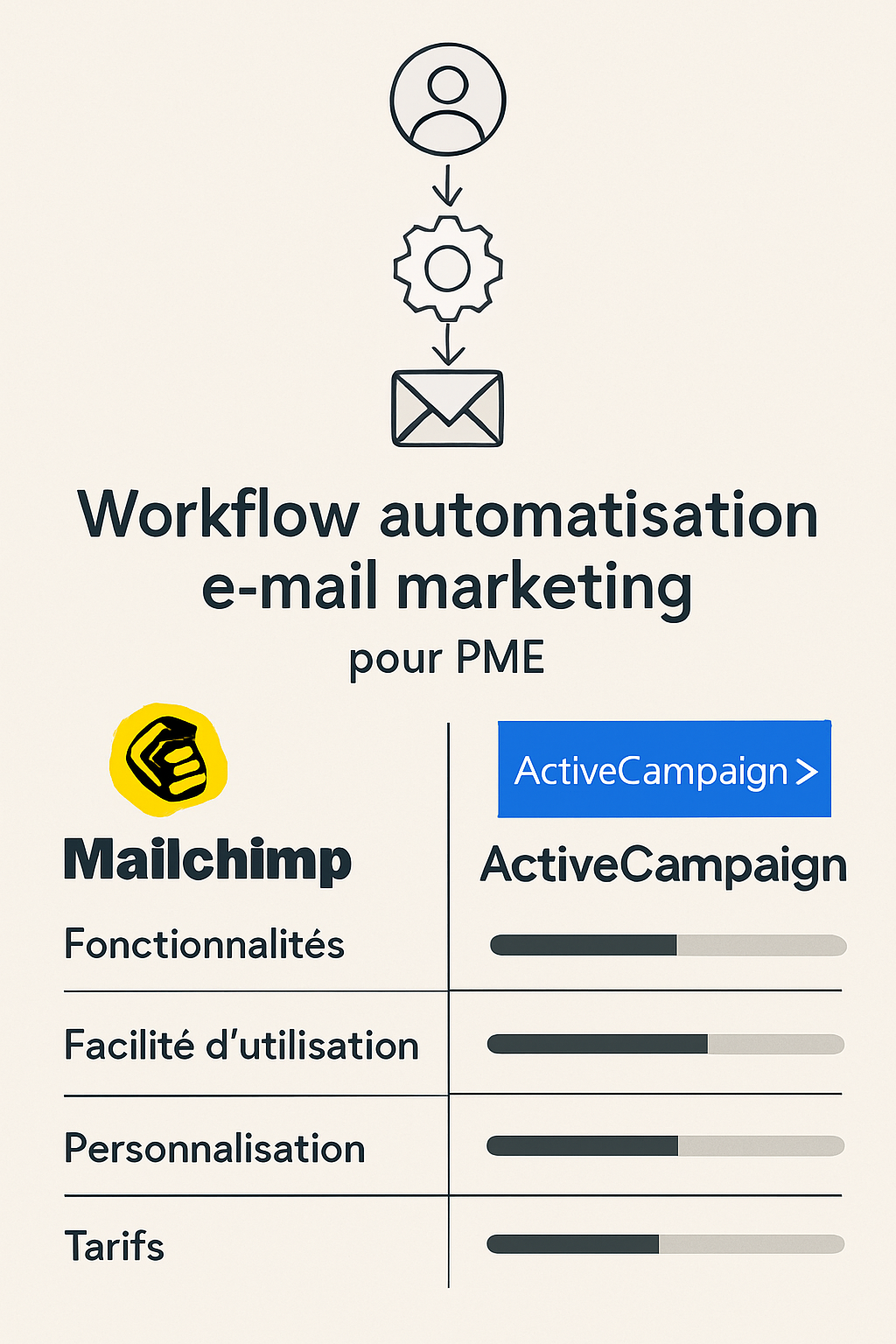
Comparing built-in CRM tools and customer relationship management for SMEs
Customer relationship management (CRM) is a major challenge for any company that wants to retain customers and improve its conversion rate. In digital marketing, integrating CRM with email marketing offers a decisive lever for a personalised, consistent approach. Mailchimp and ActiveCampaign each take a different approach, influencing the user experience and the results.
Mailchimp includes a lightweight CRM that centralises basic contact information, logs interactions and tracks overall performance. This integration mainly suits SMEs with simple contact-management needs that don’t want to weigh down their software environment. The CRM interface in Mailchimp remains intuitive and designed for marketing rather than sales use.
ActiveCampaign, on the other hand, relies on a solid and complete CRM designed to support the complex processes of a growing SME. Beyond fully centralising customer data, the platform offers tools for managing sales tasks, logging calls, tracking opportunities and managing sales pipelines. This CRM, fully integrated with digital marketing, creates a genuine set of tools that lets marketing and sales teams collaborate effectively.
A comparison table highlights these nuances:
| CRM aspect | Mailchimp | ActiveCampaign |
|---|---|---|
| Customer data centralisation | Basic, marketing-oriented | Complete, sales- and marketing-oriented |
| Sales task management | Not available | Built in with reminders and tracking |
| Sales pipeline management | Not offered | Yes, customisable |
| Marketing and sales team coordination | Limited | Optimal and smooth |
Here is a list of specific benefits for an SME using Mailchimp as a CRM:
- Simple visualisation of campaigns and customer profiles
- Built-in marketing reports
- Quick onboarding without intensive training
- Automation of CRM-related marketing tasks
And for SMEs that choose ActiveCampaign:
- Complete, multi-stage management of each prospect
- Individual tracking of customer interactions
- Scheduling and reminders for sales tasks
- Overview of marketing campaigns and sales in parallel
The choice will therefore depend on the SME’s commercial and marketing maturity. For companies just starting out or focusing on pure email marketing, Mailchimp will be more than enough. When the customer relationship strongly involves prospecting, opportunity tracking and sales contribution, ActiveCampaign delivers remarkable added value.
Creating and personalising email campaigns: effectiveness and design with Mailchimp and ActiveCampaign
The look and personalisation of email campaigns directly affect their open and conversion rates. Mailchimp and ActiveCampaign offer different interfaces for creating these campaigns, impacting the SME user experience and the quality of the final product.
Mailchimp offers a very visual drag-and-drop editor, with many ready-to-use templates across sectors. Its image library, modular blocks and ease of use let you quickly build attractive emails even without technical skills. Personalisation can be done via basic dynamic tags, suited to simple personalisation on first name or other static data.
ActiveCampaign also combines an intuitive editor but with greater flexibility on advanced content personalisation. CRM data integration lets you insert conditional content based on profile or behaviour, creating unique, targeted experiences. The platform also offers more advanced A/B testing, giving SMEs the ability to fine-tune their messages for a better ROI.
Compare the creative aspects in this table:
| Email creation features | Mailchimp | ActiveCampaign |
|---|---|---|
| Editor interface | Simple drag-and-drop | Advanced drag-and-drop + conditional personalisation |
| Templates | Wide choice, varied sectors | Well stocked with advanced personalisation |
| Content personalisation | Basic (name, first name, manual info) | Advanced (dynamic conditional content) |
| A/B testing | Simple, limited | Multivariate, extensive |
List of advantages for SMEs with Mailchimp when creating campaigns:
- Instant onboarding for non-technical entrepreneurs
- Professional templates suited to various sectors
- Built-in image library to enrich visuals
- Fast personalisation with a few simple variables
ActiveCampaign’s strengths in this area:
- Advanced personalisation to deliver specific offers
- Elaborate A/B testing to continuously optimise campaigns
- Fine integration of CRM data into content
- Flexibility to adjust campaigns to each customer profile
For an SME favouring simplicity and speed, Mailchimp is an excellent starting point. Those wanting to fully exploit customer-data potential and dynamic segmentation will benefit more from ActiveCampaign.
Reporting and performance measurement: how Mailchimp and ActiveCampaign help SMEs optimise their campaigns
The ability to analyse campaign results precisely is essential to adjust the marketing strategy and maximise returns. Mailchimp and ActiveCampaign each offer dashboards suited to SMEs, though their approaches differ on the depth and granularity of the data provided.
Mailchimp provides simple custom reports, quickly accessible and easy to understand. These reports include open, click and bounce rates, as well as overall campaign results. The tool also makes it easy to track performance by segments or targeted groups, offering a clear view for steering future campaigns.
ActiveCampaign, for its part, combines detailed reporting enriched by reading behaviours across the entire customer cycle. You find not only standard metrics but also analyses tied to lead scores, multi-channel engagement and customer lifetime value. The dashboards are more complex, sometimes requiring a stronger command of analytics tools, which can discourage beginners.
| Metrics and reports | Mailchimp | ActiveCampaign |
|---|---|---|
| Basic reports | Open, click, bounce rates | Same metrics + multi-channel engagement |
| In-depth behavioural analysis | Limited | Built in and detailed |
| Customer lifetime value (CLV) tracking | Not available | Yes, in the CRM |
| Custom segmented reports | Yes, simple | Yes, very advanced |
For an SME, here are some positive points specific to Mailchimp in campaign analysis:
- Intuitive reporting interface, quick to master
- Automated reports exportable to CSV
- Clear summary that facilitates decision-making
- Basic alerts on important trends
ActiveCampaign features SMEs can use:
- Built-in lead analysis and dynamic scoring
- Dashboards customisable to specific goals
- Multi-channel customer journey measurement
- Predictive reports coupled with CRM management
This level of detail will suit SMEs with an experienced marketing team wanting to refine performance beyond traditional metrics.
Pricing and value for money: a comparison for SMEs between Mailchimp and ActiveCampaign
Cost is often a central criterion for SMEs looking to adopt an email marketing and CRM solution. Mailchimp and ActiveCampaign offer distinct pricing models that heavily influence the final choice depending on budgets and expectations.
Mailchimp positions itself with an attractive freemium offer, suited to SMEs just starting out or with small contact bases. Its tiered pricing is based on the number of contacts and bonus features, with transparent tiers. The pricing simplicity and absence of long-term commitment appeal to small organisations wanting to test the solution quickly.
ActiveCampaign, conversely, focuses on premium positioning with higher plans from entry level. The price reflects the greater functional richness, notably around its advanced CRM and powerful automations. This formula proves particularly profitable for SMEs with high volumes and a strong sales orientation, where the overall effectiveness offsets the initial investment.
| Plans | Mailchimp | ActiveCampaign |
|---|---|---|
| Free plan | Yes, up to 500 contacts | No |
| Starting price (unlimited contacts) | About €11/month for 500 contacts | From €15/month for 500 contacts |
| Advanced features included | Standard | Premium CRM automation |
| Minimum commitment | None | Varies by plan |
To round out this overview, here is a concise list of Mailchimp’s pricing advantages:
- Very accessible free plan to test the platform
- Clear pricing with distinct tiers based on contact count
- No long-term commitment, flexibility for SMEs
- Ideal for small bases and simple campaigns
On the ActiveCampaign side:
- Functional richness that justifies a higher investment
- Advanced automation and built-in CRM to pay off
- Premium support often included in higher plans
- Greater effectiveness on complex sales targets
Integrations and compatibility in the digital marketing set of tools of SMEs
The interoperability of email marketing platforms with other digital tools is essential for SMEs seeking to build a coherent set of tools. Mailchimp and ActiveCampaign offer a wide range of integrations, but the nature and ease of these connections can vary, affecting the smoothness of marketing and sales processes.
Mailchimp has a rich integration gallery covering popular CMSs (WordPress, Shopify), social networks, external CRMs and analytics tools. Setting up these integrations is generally simple, via a user-friendly interface or dedicated plugins, easing SMEs’ marketing operations. This modularity keeps a flexible structure without technical heaviness.
ActiveCampaign, meanwhile, offers a similar number of integrations but with a stronger focus on CRM, ERP and sales-management solutions. These integrations are often deeper, enabling for example the automatic synchronisation of customer data between platforms. This approach targets SMEs seeking consistency between digital marketing and sales management.
| Integration types | Mailchimp | ActiveCampaign |
|---|---|---|
| CMS | WordPress, Shopify, Wix, Squarespace | WordPress, Shopify, Magento, WooCommerce |
| External CRMs | Salesforce, HubSpot (limitations) | Salesforce, Zoho, full HubSpot integration |
| Social networks | Facebook, Instagram, Twitter | Facebook, Instagram, LinkedIn |
| Data analysis | Google Analytics, Tableau | Google Analytics, Mixpanel, Segment |
Here is a list of integration advantages for Mailchimp:
- Wide range of easy-to-connect apps
- User-friendly interface ensuring quick setup
- Suited to SMEs with fewer complex CRM needs
- Regular plugin updates
And for ActiveCampaign:
- Deep integrations, automatic synchronisation
- Strong connection between CRM and marketing tools
- Technical support for advanced setup
- Makes managing coordinated multichannel campaigns easier
Security, GDPR compliance and customer support: SME requirements for Mailchimp and ActiveCampaign
Data security and GDPR compliance are major issues for European SMEs, for whom protecting customer information is both a legal obligation and a promise of trust. Mailchimp and ActiveCampaign have both built in these dimensions, but their approaches show important nuances.
Mailchimp adopts a rigorous policy aligned with GDPR, offering built-in consent-management tools and clear unsubscribe options. The platform hosts its data in certified centres and carries out regular audits. Customer support is available across several channels, with well-developed educational resources for users on paid plans.
ActiveCampaign relies on an advanced security setup including data encryption, strict compliance with international standards and dedicated GDPR support. The platform actively helps SMEs achieve compliance through specific options: storage in European data centres, fine-grained customer permission management and automated audits. Technical support is generally responsive, with teams able to advise on security best practices.
| Security & GDPR criteria | Mailchimp | ActiveCampaign |
|---|---|---|
| GDPR compliance | Built-in tools + guide support | Advanced options + automated audits |
| Data security | Certified data centres | Advanced encryption + ISO compliance |
| Customer support | Email, chat (paid plans), online resources | Chat, email, phone, dedicated GDPR support |
| Consent management | Built-in forms and opt-in | Complete customisable options |
List of strengths for Mailchimp:
- Quick onboarding to GDPR tools
- Clear guides for self-managing SMEs
- Responsive support for paying users
- Simple consent-management process
For ActiveCampaign:
- Advanced mechanisms for reinforced compliance
- Dedicated, personalised support including GDPR advice
- Security options at the highest standards level
- Assistance for audits and compliance
FAQ: Mailchimp vs ActiveCampaign for SMEs
- Which tool is best for an SME new to email marketing?
Mailchimp is ideal thanks to its ease of use and freemium offer that lets you start without an initial investment. - Is ActiveCampaign more powerful for managing contacts?
Yes, thanks to its built-in CRM and dynamic segmentation, ActiveCampaign offers more advanced features for precise targeting. - Can you use automation without technical skills?
Mailchimp offers simple automations suited to beginners, while ActiveCampaign requires some learning to use all its capabilities. - How do prices compare by company size?
Mailchimp is more affordable for small contact bases; ActiveCampaign justifies its higher prices with advanced features and a complete CRM. - Which platform guarantees better GDPR compliance?
Both are compliant, but ActiveCampaign offers more advanced options and stronger support for achieving compliance.
